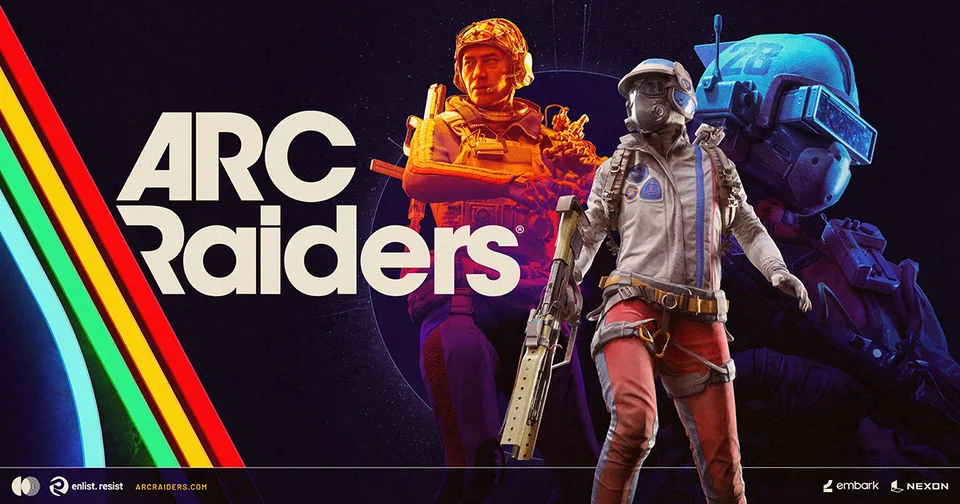
Experiencing ARC Raiders matchmaking taking forever? Discover the top reasons for long queue times and effective solutions to jump into the action faster.
Published: ARC Raiders Wiki Editorial Team
Table of Contents
Few things are more frustrating for a gamer than sitting in a lobby waiting for a match that never starts. If you have been experiencing ARC Raiders matchmaking taking forever, you are certainly not alone. Whether you are a solo player looking to dive into the Rust Belt or part of a squad ready to tackle the machines, prolonged queue times can quickly turn an exciting gaming session into a test of patience.
When you encounter ARC Raiders matchmaking taking forever, it often feels like the game is broken or the servers are down. However, the root cause is frequently a combination of regional settings, server load, or even client-side synchronization issues. In this guide, we will break down why this happens and provide you with actionable steps to get back into the action. Understanding the mechanics behind the queue is the first step toward reclaiming your play time.
Understanding Why Matchmaking Delays Occur
Matchmaking is a complex process that relies on balancing player skill, regional proximity, and server availability. In a title like ARC Raiders, which utilizes a sophisticated aggression-based matchmaking algorithm, the system is constantly working to group players with similar playstyles. When this process hits a bottleneck, you experience those dreaded long waits.
Several factors contribute to the issue of ARC Raiders matchmaking taking forever. It is rarely just one thing; rather, it is often a "perfect storm" of conditions that prevents the matchmaking server from successfully placing you into a lobby.
Common Factors Affecting Queue Times
Factor
Impact on Matchmaking
Why It Happens
Regional Settings
High
Restricting your search to a specific, low-population region limits the pool.
Server Load
Moderate
High traffic during peak hours or events can cause backend strain.
Client Synchronization
High
Outdated game versions prevent the client from "handshaking" with the server.
Aggression Rating
Low to Moderate
The system tries to match you with similar playstyles, which can narrow the pool.
Crossplay Status
Moderate
Disabling crossplay cuts off a large portion of the potential player base.
As noted by community reports, some players have found that simply checking for game updates resolves the issue immediately. If the game client is even slightly out of sync with the server version, the matchmaking service may fail to register your request correctly, leading to an infinite loop of searching.
Immediate Troubleshooting Steps
Before assuming that the game servers are completely down, you should perform a series of standard checks. Many players have reported that the "matchmaking taking forever" issue is often resolved locally without needing to wait for an official patch or server fix.
1. Force a Game Update
Even if your launcher says the game is up to date, try to verify the integrity of the game files or manually check for updates. A small, missed patch can cause significant communication errors between your client and the backend matchmaking services.
2. Set Region to Automatic
If you have manually selected a specific server region (like US-East or Europe-West) to minimize ping, you might be trapping yourself in a low-population pool. Switching your matchmaking region to "Automatic" allows the game to scan a broader range of servers, significantly reducing wait times.
3. Enable Crossplay
While some players prefer to play only with others on their platform, enabling crossplay is the single most effective way to increase the size of the available player pool. By allowing PC and console players to match together, you drastically improve the system's ability to fill lobbies quickly.
Tip
Quick Fix Checklist
If you are stuck in a queue for more than 5 minutes, do not just wait. Follow these steps in order:
Cancel the queue and restart the game client.
Navigate to settings and ensure "Crossplay" is enabled.
Change your region setting to "Automatic."
Verify your game files via Steam to ensure you are on the latest build.
The Role of Aggression-Based Matchmaking
One of the unique aspects of ARC Raiders is its approach to matchmaking. Unlike traditional shooters that focus purely on rank or K/D ratio, Embark Studios has implemented a system that attempts to interpret player behavior—specifically, how aggressive or cooperative you are.
This system is designed to create more meaningful encounters. If you prefer a cooperative, PvE-focused experience, the game attempts to place you with like-minded players. If you are a high-aggression player, you are matched with others who enjoy the thrill of PvP.
However, this is where the system gets complicated. As discussed in various community forums and developer insights, players have learned to "game" this system. Some players intentionally manipulate their behavior—or even their positioning—to influence how the algorithm perceives them. When the system is trying to process these complex behavioral metrics, it can sometimes struggle to find a "perfect" match, leading to an environment where ARC Raiders matchmaking taking forever becomes a byproduct of the algorithm trying to be too smart.
The Trade-off: Uncertainty vs. Consistency
The developers have stated that a core part of the ARC Raiders experience is the uncertainty of the Rust Belt. You never quite know if the next player you encounter will be a friend or a foe. By trying to balance this uncertainty with player-friendly matchmaking, the game faces a tough challenge.
Matchmaking Type
Goal
Potential Drawback
Skill-Based
Fairer competition
Higher stress, longer queues for top-tier players.
Aggression-Based
Playstyle compatibility
Can be manipulated, complex to calculate.
Connection-Based
Lowest latency
Ignores player skill and behavior entirely.
If you find that the current matchmaking system is consistently putting you into lobbies that don't match your playstyle, or if the queues are simply too long, it is often a sign that the algorithm is struggling to find a compatible group. In such cases, the best strategy is to team up with friends. Playing in a full squad often bypasses some of the "solo-queue" behavioral analysis, as the game has more data to work with when grouping pre-made teams.
Optimizing Your Network for Faster Connections
Sometimes, the issue isn't the game's matchmaking algorithm at all, but your local network's ability to communicate with the game servers. If you are experiencing high packet loss or inconsistent ping, the matchmaking server might be hesitant to place you in a match, fearing that you will disconnect or ruin the experience for others.
How to Ensure Network Stability
Use a Wired Connection: Wi-Fi is susceptible to interference. If possible, connect your PC or console directly to your router via an Ethernet cable.
Check for Background Downloads: Ensure no other devices on your network are hogging bandwidth. Streaming 4K video or downloading updates on other devices can increase latency.
Restart Your Router: It sounds cliché, but a simple power cycle of your modem and router can clear up routing issues that might be preventing your connection from reaching the game's matchmaking handshake.
If you are located in a region that is geographically distant from the game's primary data centers, you might experience longer queue times regardless of your settings. In these instances, utilizing a game booster or ensuring your firewall isn't blocking specific ports can help. However, always prioritize the in-game "Automatic" region setting before resorting to third-party network tools.
Community Insights and Player Experience
The community surrounding ARC Raiders is vocal about these issues. According to various threads and player reports, the sentiment is mixed. Some players have never experienced a queue longer than two minutes, while others report constant failures.
A common theme in community discussions is that "dead game" accusations are often premature. When players complain about ARC Raiders matchmaking taking forever, it is frequently discovered to be a local issue (like an outdated client) rather than a lack of active players.
Warning
Beware of Misinformation
You may see forum posts claiming that the game is "dead" and that is why matchmaking is slow. Always verify the date of such posts. During peak hours and especially after major patches, player counts are high. If you are waiting for a long time, it is almost certainly a technical or regional issue, not a lack of people playing the game.
It is also worth noting that the developers are actively monitoring these reports. They have frequently adjusted how squad sizes are handled and how aggression is calculated in response to feedback. Staying updated with official announcements via the game’s official channels is the best way to know if there is a known server-side outage.
Summary: Getting Back into the Raid
When you find yourself stuck in a loop, remember that you have the power to influence your matchmaking experience. Whether it is by forcing an update, switching your region to Automatic, or simply teaming up with a squad, you can often bypass the bottlenecks that cause long wait times.
The goal of the matchmaking system is to provide a balanced and engaging experience, even if it occasionally struggles to find the perfect lobby. By understanding the mechanics and taking simple, proactive steps, you can minimize the time spent in the lobby and maximize your time in the Rust Belt.
Frequently Asked Questions (FAQ)
Why is my ARC Raiders matchmaking taking so long?
Extended queues are usually caused by regional settings, outdated game clients, or server-side load during peak hours. If you are experiencing ARC Raiders matchmaking taking forever, start by setting your region to "Automatic" and checking for any pending game updates.
Does crossplay help reduce matchmaking times?
Yes, enabling crossplay is highly recommended. It allows the matchmaking system to pull from a much larger pool of players across different platforms, which significantly increases the speed at which lobbies can be populated.
Is the aggression-based matchmaking causing the delays?
While the aggression-based matchmaking algorithm is complex, it is rarely the sole cause of infinite queues. It can make finding a "perfect" match take longer, but technical issues like outdated clients or restrictive regional settings are much more common culprits for long wait times.
What should I do if I still can't find a match?
If you have tried the steps above and are still unable to find a match, try restarting your router and your game client. If the problem persists, it may be a temporary server-side issue. Check official community channels or the game's status page to see if there is a known outage.